Set VAT amount on your WiFi passes
It's easy to adjust the VAT tax rate associated with your paid internet WiFi passes.
Follow these steps:
Log in to the portal and ensure you're in the correct ACCOUNT
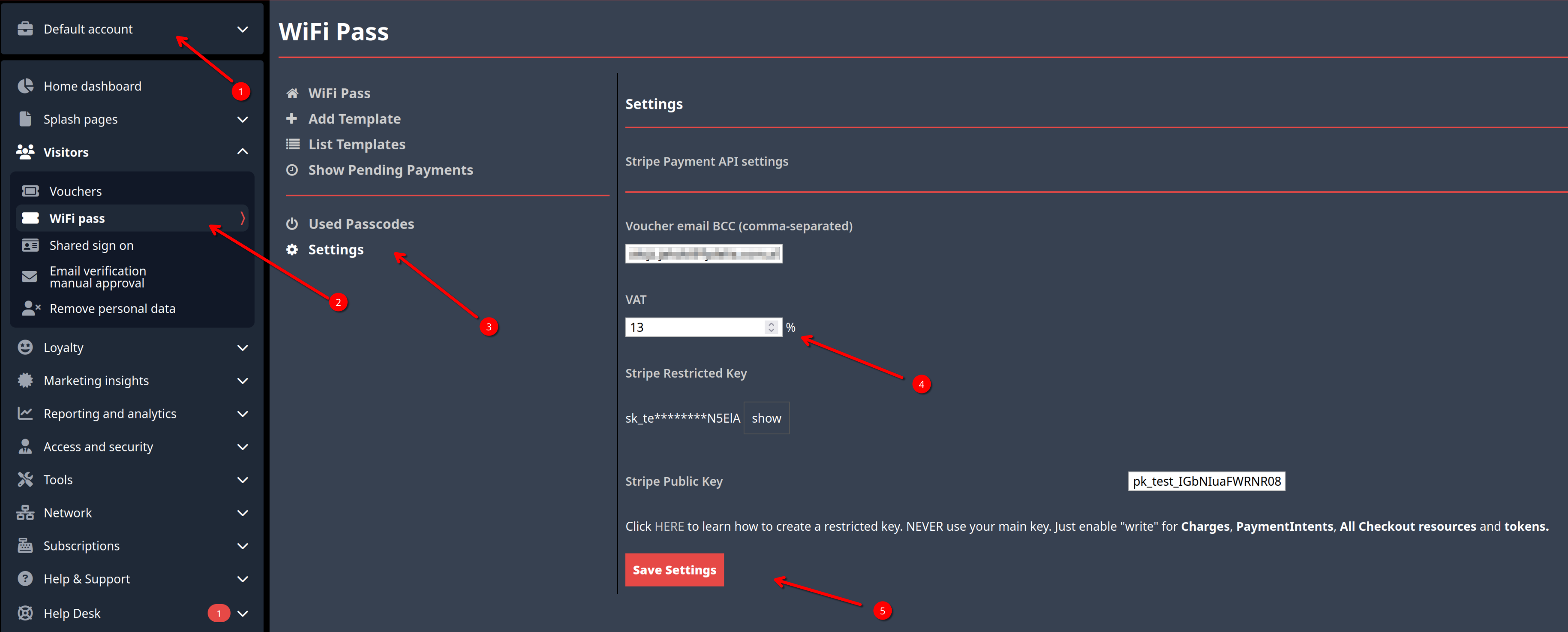
- Click settings
- Enter the desired VAT amount
- Click Save Settings
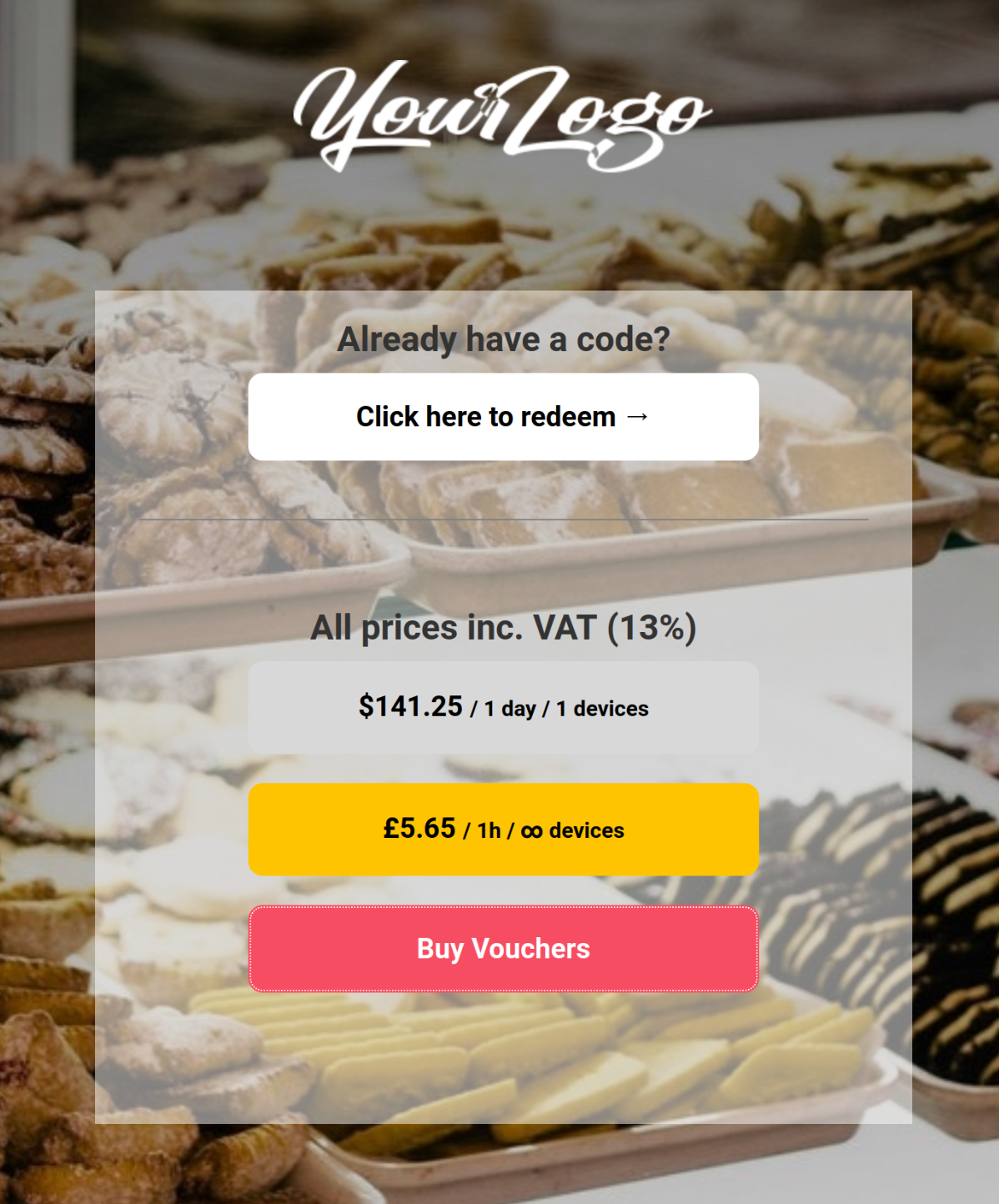
- Now all your templates, under the selected account, will have this VAT applied, and visible to the customer: